Students join from any browser with a code. No student accounts, no ads, nothing to install. Built for 6 languages, Hebrew right-to-left included.
Create a LexiClash Education class and share a 6-character join code. Students open any browser on a Chromebook, phone, or tablet and play immediately — no app, email, or student account. Use your own word list. Rounds last 2–10 minutes for a warm-up, brain break, or review. The free plan covers 3 classes of up to 50 students.
Name it, pick the language. You get a join code and a QR right away.
They type the code on any phone, tablet or Chromebook. No accounts, no emails.
Pick a mode, put it on the board, and see results the moment the round ends.
Some run on the projector, some on students' phones. Every mode is free to play; calm mode for anxious students comes with Pro.
Four choices, one meaning. The fastest right answer scores most.
Trace every word you can spot on one shared letter grid.
Chain words fast and blow the tiles up in cascading combos.
After one game: who struggled, which words to reteach, and practice built from the misses.
What Pro shows you after one game
Sample class data. Your own classes fill these in.
| Feature | Free$0 | Pro$9 /month |
|---|---|---|
| Classrooms | 3 | Unlimited |
| Students on each class roster | 50 | 50 |
| Assignments per class | 3 | Unlimited |
| Live game modes | 8 | 8 |
| Your own word lists | Included | Included |
| Ad-free for students | Included | Included |
| Per-student progress analytics | Not included | Included |
| Printable class reports | Not included | Included |
| Mastery heatmap: which words each student knows | Not included | Included |
| Missed-practice rounds built from real gaps | Not included | Included |
| Calm mode for anxious students | Not included | Included |
The free plan never expires and needs no card.
Teacher Pro
$9/month
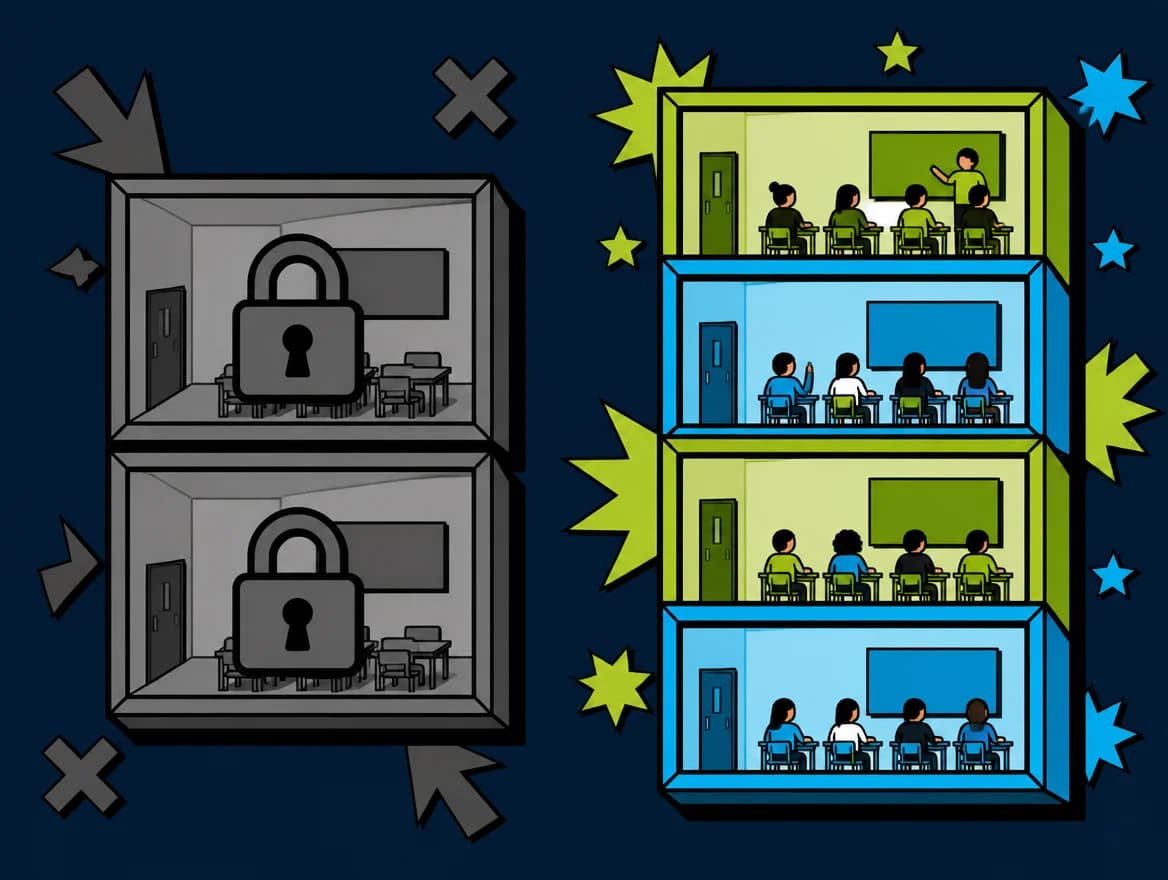
The first 14 days of Teacher Pro are free, once per teacher. Cancel anytime.
Card needed · Then $9/mo · Cancel anytime
Live games seat up to 50 players at once, on every plan.
Get a quote by email
About a minute to fill in. We reply by email.
Short answers to what teachers ask before their first class.
More answers in the help centerLexiClash Education has 8 live game modes, from a class quiz and a boss battle on the projector to timed word hunts and Boggle-style boards on phones — all playable in a browser with no downloads.
Teachers create a classroom in the teacher dashboard, invite students with a join code, and launch any word game or assignment in seconds. Progress and scores are tracked automatically.
Yes. Difficulty and word lists are customizable per assignment, making it suitable for primary, middle, and high school students as well as adult learners.
Absolutely. Build word lists from your curriculum, run them live or as assignments, and see every round's results. Teacher Pro adds per-student analytics and printable class reports.
Unlimited classes and assignments, per-student progress analytics, printable class reports, a mastery heatmap, missed-word practice rounds and calm-mode settings. Live games seat up to 50 students on every plan. Teacher Pro is $9/month, and the first 14 days are free.
No. Students join a classroom session with a 6-character code and play instantly in any browser. Only the teacher needs an account to manage classrooms and word lists.
Free to start, and the free plan is a real one: up to 3 classes of up to 50 students each — a whole real class fits — 3 assignments per class, all 8 live game modes, your own word lists, and no ads. Teacher Pro is $9/month and adds unlimited classes and assignments, progress analytics and printable reports.
LexiClash focuses on word-formation gameplay (Boggle-style grids, anagrams, word wheels) rather than flashcards or quizzes. It runs without student accounts, supports 6 languages including Hebrew RTL and Japanese, and adds real-time multiplayer for the whole class — all on a free tier.
English, Hebrew (with full right-to-left layout), Swedish, Japanese, Spanish, and Russian. Each language has its own dictionary, making LexiClash suitable for ESL/EFL classrooms, Hebrew immersion programs, and multilingual schools.
A quick round takes 2–3 minutes. A whole-class word game runs 5–10 minutes. Most teachers use LexiClash as a 5-minute warm-up, mid-lesson brain break, or end-of-class review activity.
Yes. Build a custom word list from your own curriculum or paste any vocabulary set, and students play the word games using exactly the words you are teaching that week — there is no fixed word bank you are stuck with.
No. LexiClash runs in any browser — Chromebooks, tablets, phones, or desktops — with no app, plugin, or install to manage. Students join with a 6-character code and start playing instantly.
The free plan covers 3 classes of up to 50 students, every live mode and your own word lists. No time limit, no credit card.
Join a class game right now — no account
No email · No password · Runs on the school Wi-Fi
Pick a format: quick 1v1 duels or live whole-class multiplayer.
Pair students for 2-3 minute head-to-head word battles.
Whole-class multiplayer; students join with a class code, no email needed.
In-depth guides for specific classroom uses, with comparison tables, FAQs and free word lists.
No signup, 6 languages, free for teachers — vs Quizlet/Kahoot/Wordwall.
ESLBeginner to advanced, 6 dictionaries, no student signup.
For TeachersSub-day, brain-break, warm-up — zero prep, free for teachers.
Spelling Bee4-week training plan, custom word lists, 1v1 duels — Scripps prep.
Sight WordsFlashcards, matching & spelling drills built from your own Dolch/Fry list.
For SchoolsFree for teachers. School and department plans from $49 per teacher a year, no student logins.
FreeCurriculum word lists by grade and subject, ready to play in class.
The situations teachers actually search for, each with a plan you can run today.
How do you do a brain break in class?
What are good indoor recess games for a classroom with no equipment?
What can I do with my class on the last days of school?
What is a good icebreaker activity for the first day of school?
What are good activities for students who finish work early?
What word games work for middle school classrooms?
How do you play Boggle online with a whole class?
Is there a free online Boggle game for kids?
Age bands and topic drills for Spanish-English classrooms, run the same teacher-led way as our ESL games.
See how LexiClash compares: LexiClash vs Kahoot — features, price, and classroom fit.