
Guide2 min read
Find ready-made lists in the Library
No time to type? Browse verified lists by language and topic, open one, and host it live in seconds.
Tested in the app · Updated October 2, 2026
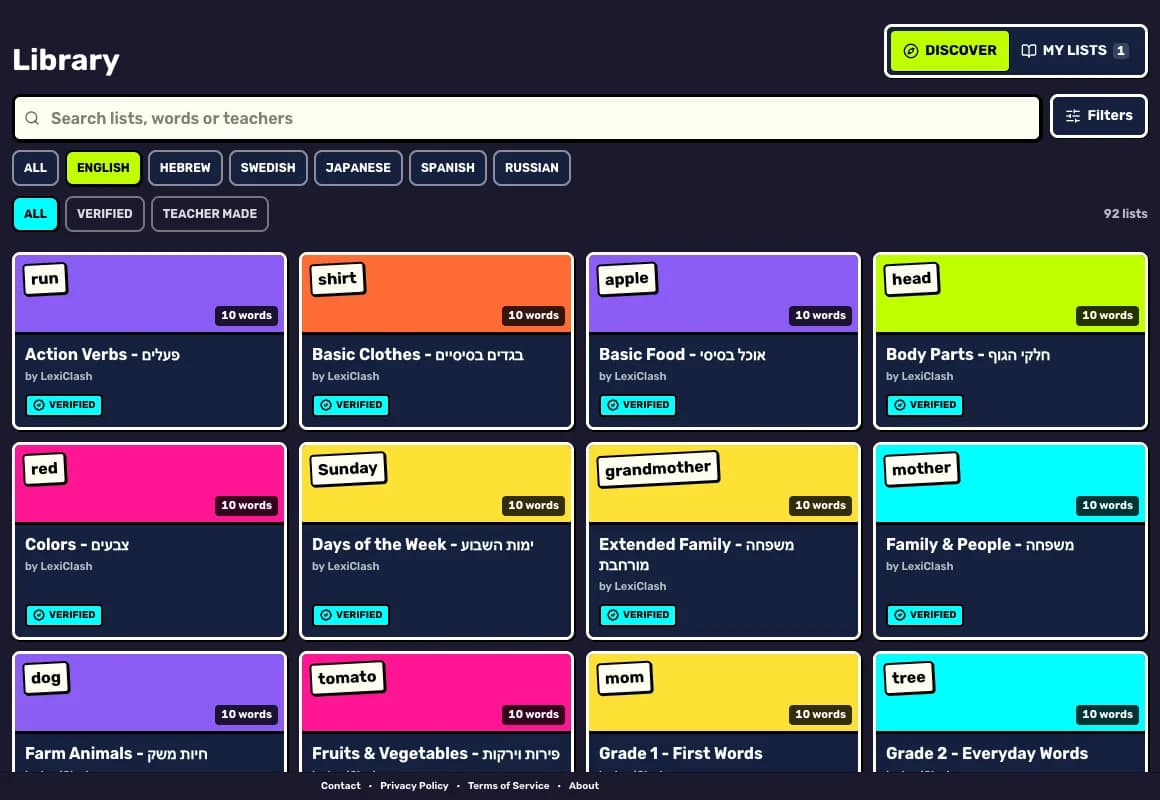
The Library has two tabs: Discover for lists made by LexiClash and by other teachers, and My lists for your own.
Step 1: Open Discover
Go to Library and stay on Discover.
Step 2: Narrow it down
Search for a topic or a word, then filter by language. Choose Verified to see only lists checked by the LexiClash team.
Step 3: Open a list and play
Tap a card to see every word and its meaning. Then press Host live to play it now, Assign to set it as homework, or Make a copy to edit your own version.
Lists you make stay private unless you switch on Share to Discover when saving. Shared lists show only your display name.
Your next step
Run a live game now
Pick a game, pick the words, and your class is playing a minute later.

Did this answer your question?