
Guide3 min read
Start a live game in one tap
Pick a game, pick the words, press Go live. The join code is on your board before the class has finished sitting down.
Tested in the app · Updated October 2, 2026
A live game is the whole class playing at once from their own devices while the board shows the code, the timer and the leaderboard. Everything starts from Play in Teacher HQ.
Step 1: Choose the game
Under Start a game, tap a poster. Not sure? Word Arena works with any word list; Vocab Quiz needs words with definitions.
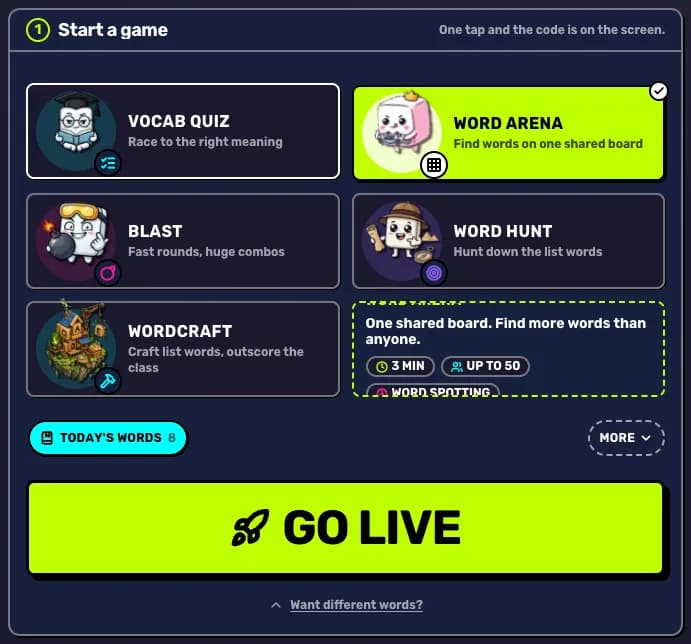
Step 2: Choose the words
Tap one of your lists under the posters, or press Want different words? for Starter packs or Paste words.
Step 3: Press Go live
Press Go live. LexiClash sets up the class, loads the words and opens the room. The lobby fills your screen with the code, the join link and a QR code.
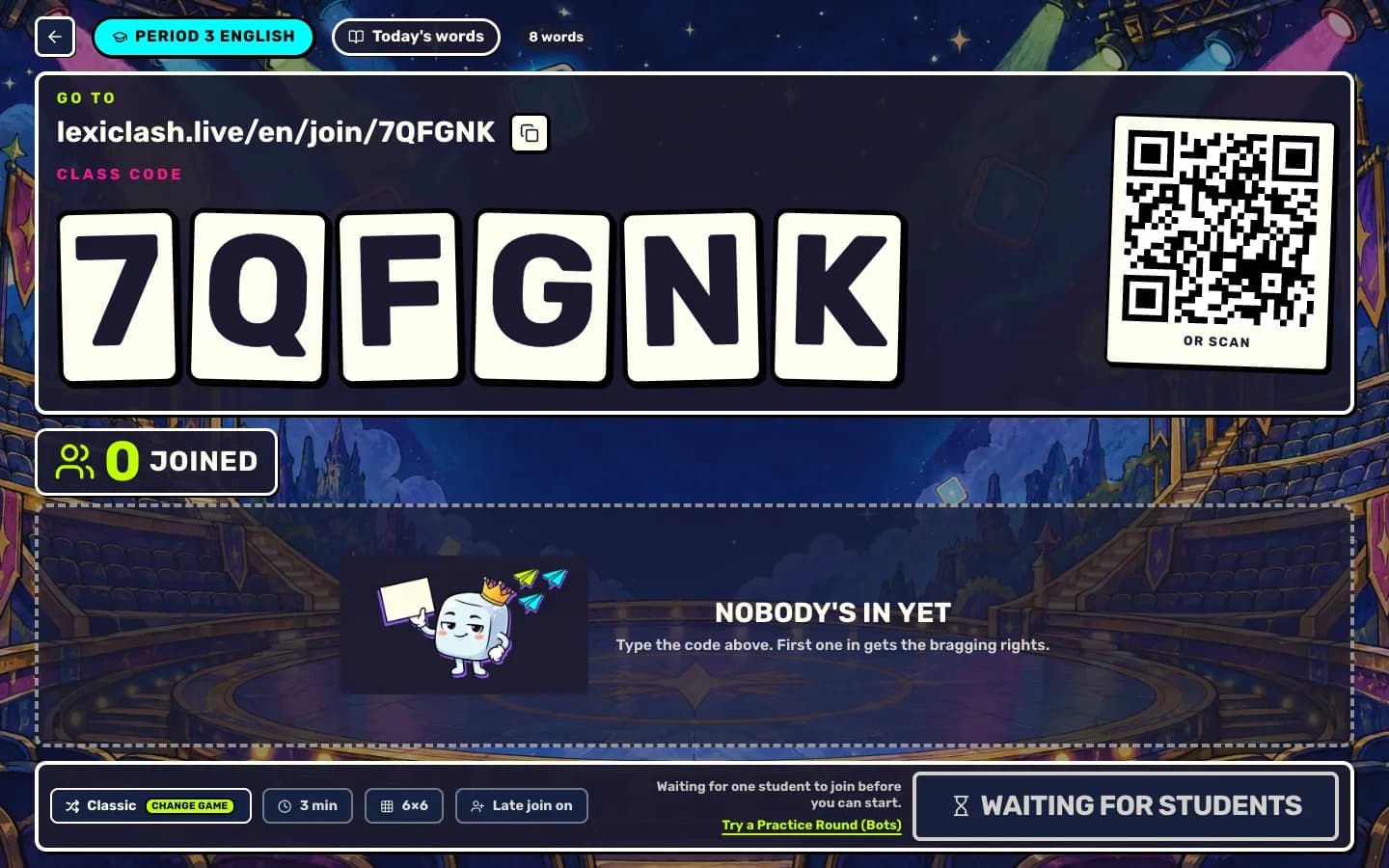
Step 4: Start when they are in
Names pop into the lobby as students join. Start game unlocks once at least one student is in. Press it and the round begins on every device at the same time.
Your next step
Run a live game now
Pick a game, pick the words, and your class is playing a minute later.

Did this answer your question?