
Tutorial3 min read
Set tonight's homework in 3 minutes
Pick a list, assign WordCraft, due tomorrow. Students play it from their class page; you see who finished.
Tested in the app · Updated October 2, 2026
Step 1: 0:00Have your words ready
Use a list you already played in class, or paste a new one. See make a word list.
Step 2: 1:00Create the assignment
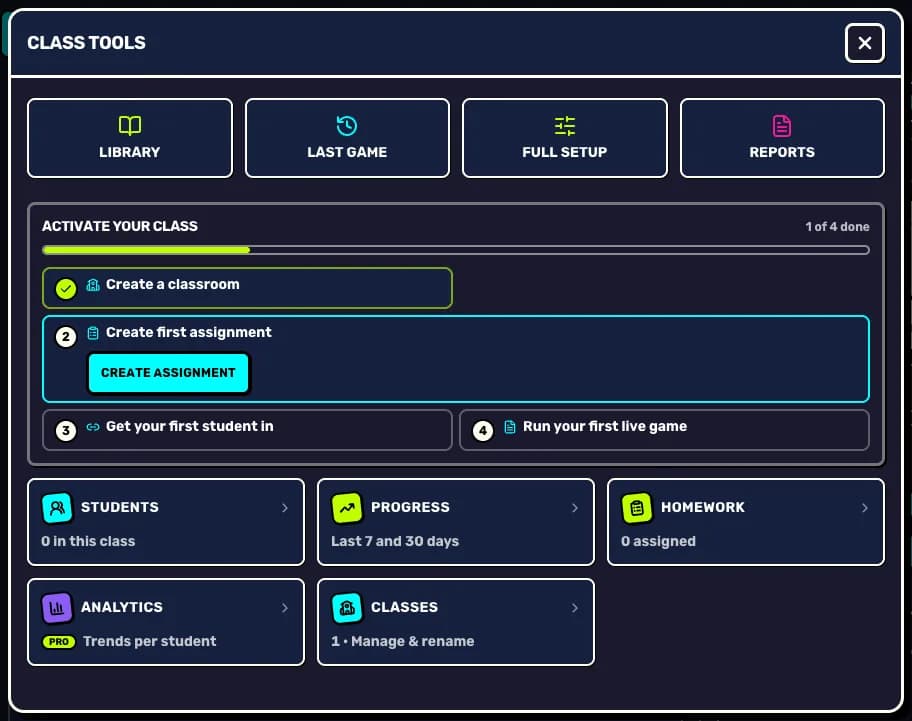
In Teacher HQ, open Class tools and press Create assignment. Pick the list.
Step 3: 1:30Keep the recommended game
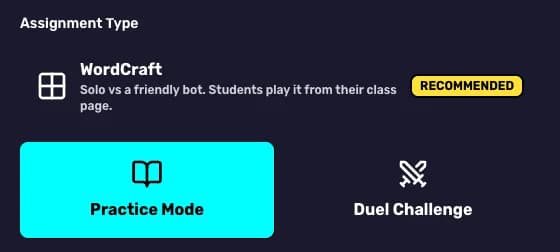
Leave WordCraft selected: students play solo against a friendly bot, which suits homework.
Step 4: 2:00Due tomorrow, then assign
Under Due date, tap tomorrow, add a line of instructions if you like, and press Create assignment.
Step 5: 3:00Check in tomorrow
Open Class tools and then Homework to see active, overdue and completed assignments.
Your next step
Try it with your class today
Teacher HQ is free. Press Go live and your join code is on the board in seconds.

Did this answer your question?