
Tutorial5 min read
Your first live game in 5 minutes
From signing in to a class cheering at the podium, with no setup beforehand. Do it once and you will never need this page again.
Tested in the app · Updated October 2, 2026
You need: a screen the class can see, your device, and students with phones, tablets or laptops. You do not need a class, a roster or a word list.
Step 1: 0:00Open Teacher HQ
Sign in at Teacher HQ. You land on Play.
Step 2: 0:30Pick a game and words
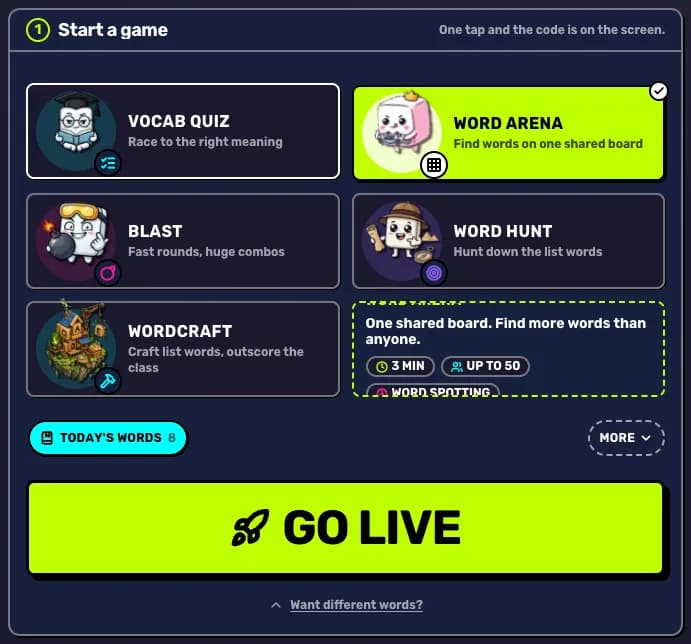
Tap Word Arena and one of the starter lists under the posters. They are ready to play.
Step 3: 1:00Go live and project it
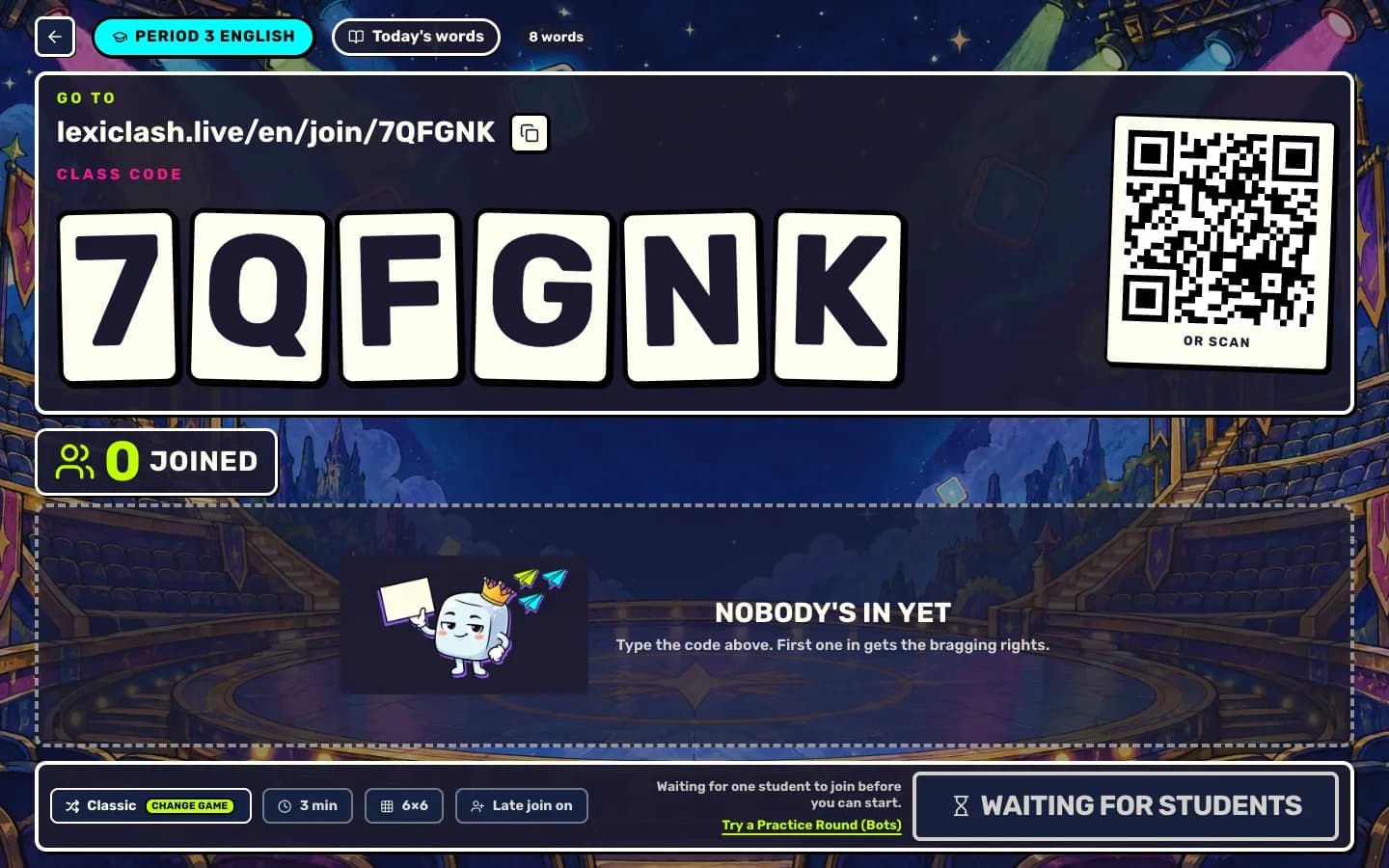
Press Go live and put your screen on the board. The lobby shows a big code, the link and a QR code.
Step 4: 1:30Students join
They scan the QR or type the code at lexiclash.live/join, then pick a name. Watch the names fly in.
Step 5: 2:00Play one round
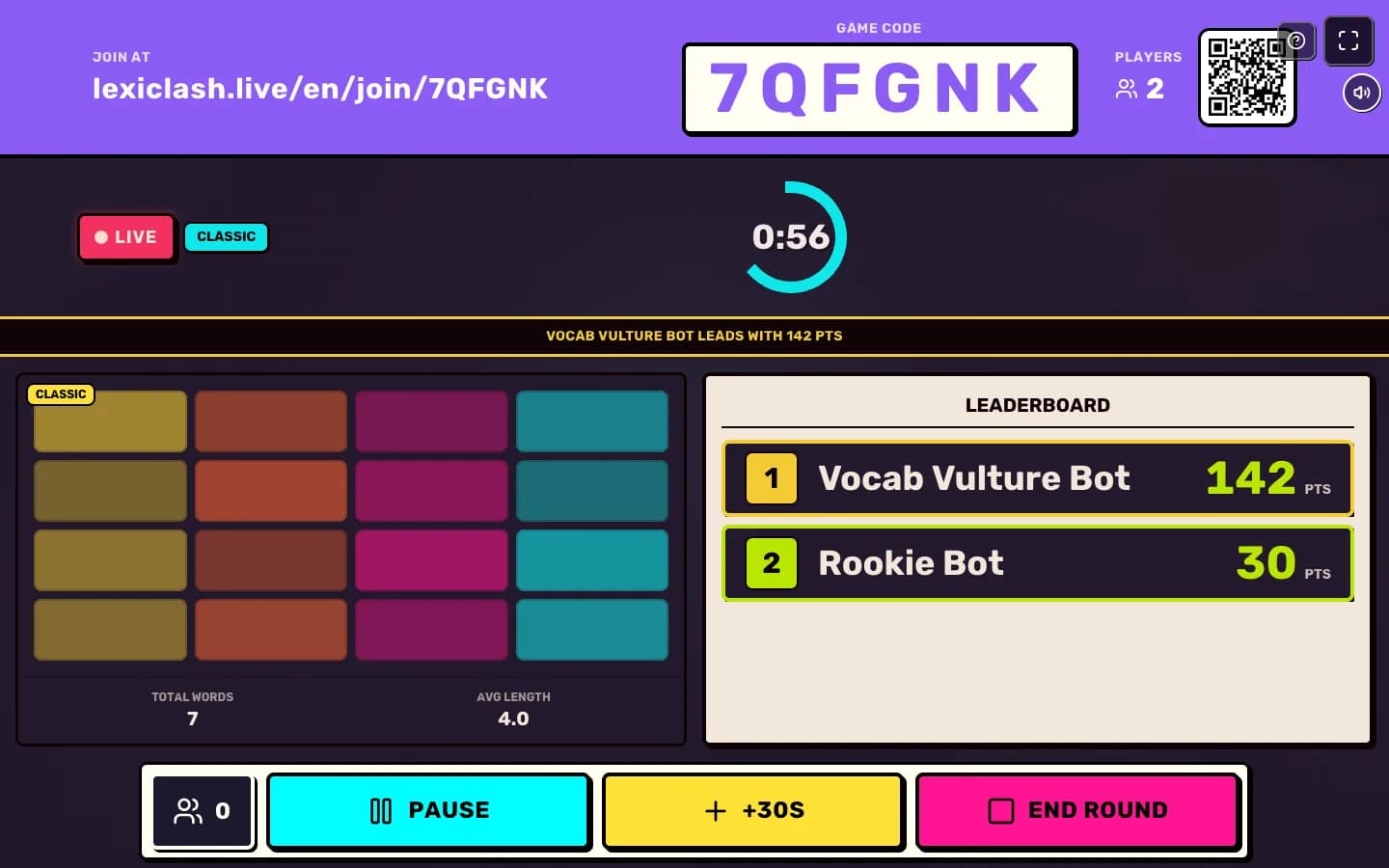
Press Start game. A Word Arena round lasts three minutes. Your screen shows the clock and the live leaderboard.
Step 6: 5:00Celebrate, then go again
The podium appears. Press Play again for a second round with the same code, or Back to class to finish.
Your next step
Run a live game now
Pick a game, pick the words, and your class is playing a minute later.

Did this answer your question?