
Guide2 min read
Create your free teacher account
Sign up with Google or a one-time email link, get approved on the spot, and land in Teacher HQ. About a minute, no card.
Tested in the app · Updated October 2, 2026
Your students never need an account. You do, so your classes, word lists and results are saved in one place. It is free, and there is no expiry on the free plan.
Step 1: Open the teacher sign-up
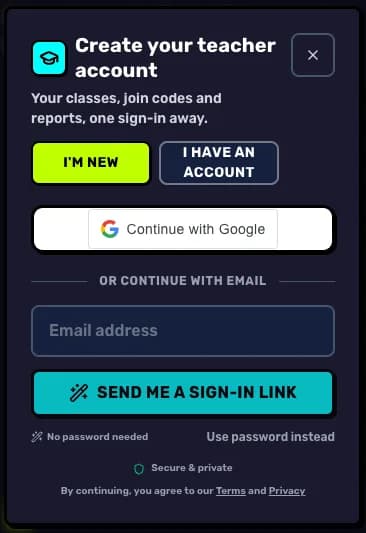
Go to Teacher HQ and choose Create my free teacher account. If you already have a LexiClash account, choose Already have an account? Sign in instead.
Step 2: Pick how you sign in
Continue with Google is the fastest. Prefer email? Type your school address and we send a one-time sign-in link, so there is no password to remember. You can still choose Use password instead.
Step 3: Get approved
Teacher access is approved straight away. There is no waiting list and nobody calls you.
Step 4: Meet Teacher HQ
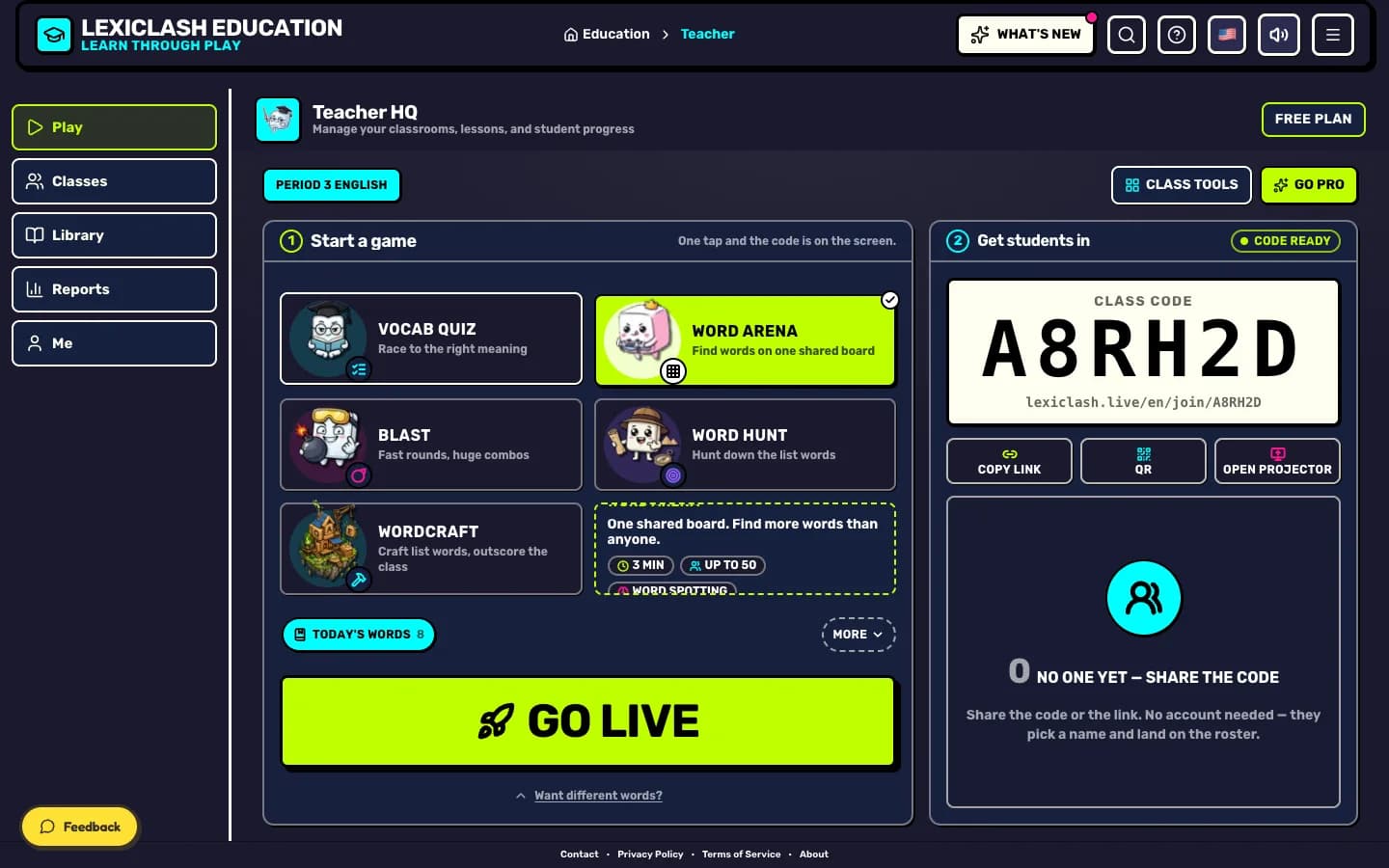
You land on Play with a game ready to launch. The menu on the side (or along the bottom on a phone) holds Classes, Library, Reports and Me.
Your next step
Try it with your class today
Teacher HQ is free. Press Go live and your join code is on the board in seconds.

Did this answer your question?