
Guide3 min read
Read your class report
One page per class: who finished the homework, who is climbing or stuck, how the last game went, and which words to reteach.
Tested in the app · Updated October 2, 2026
Open Reports in Teacher HQ and pick a class. Every game and every finished assignment feeds this page, so it fills itself in as you teach.
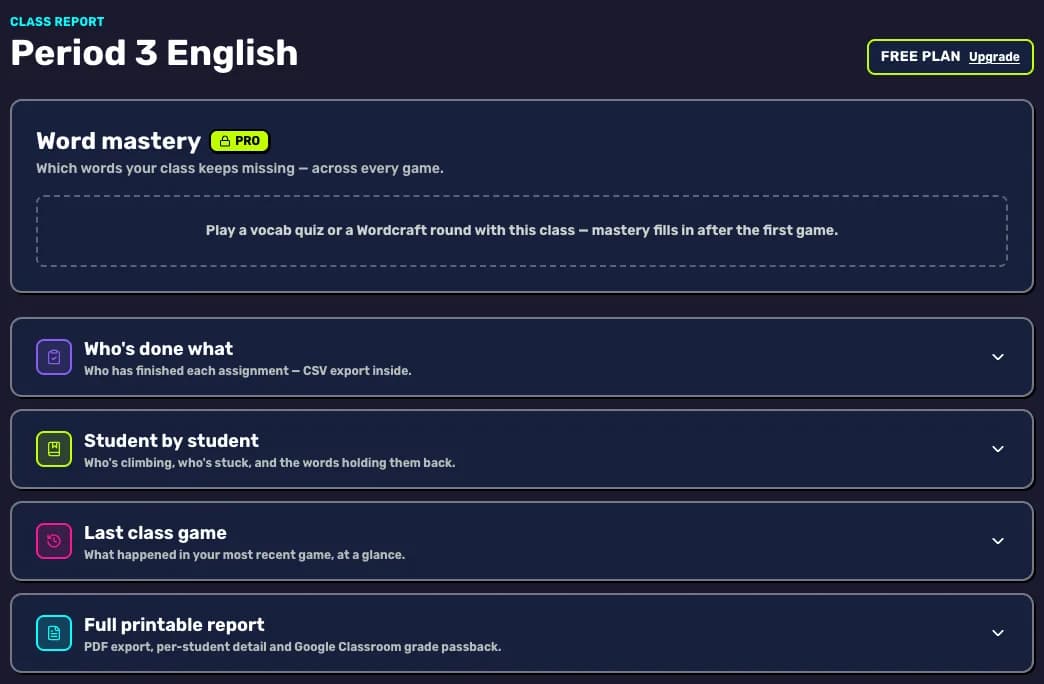
What each section tells you
- Who's done what: who has finished each assignment, with a CSV export for your gradebook.
- Student by student: who is climbing, who is stuck and the words holding them back. Tap a name for that student's own page.
- Last class game: what happened in your most recent live game, at a glance.
- Word mastery (Pro): the words your class keeps missing, across every game. It fills in after a Vocab Quiz or Wordcraft round.
- Full printable report (Pro): a PDF-ready report with per-student detail, an export of all your classes, and grade passback to Google Classroom.
Your next step
See what Pro shows you
Word mastery, printable reports and calm mode. Try every Pro feature free first.

Did this answer your question?